Back to the overview
Cost analysis

Every cost driver gets a verdict, with a measured value and an amount.

Once a month we measure what runs in your Azure environment and what it costs. We assess everything that makes up 95% of the costs, plus every resource from €5 a month and every disk, IP address and snapshot. The findings appear per budget in the app, and the owner decides what happens.

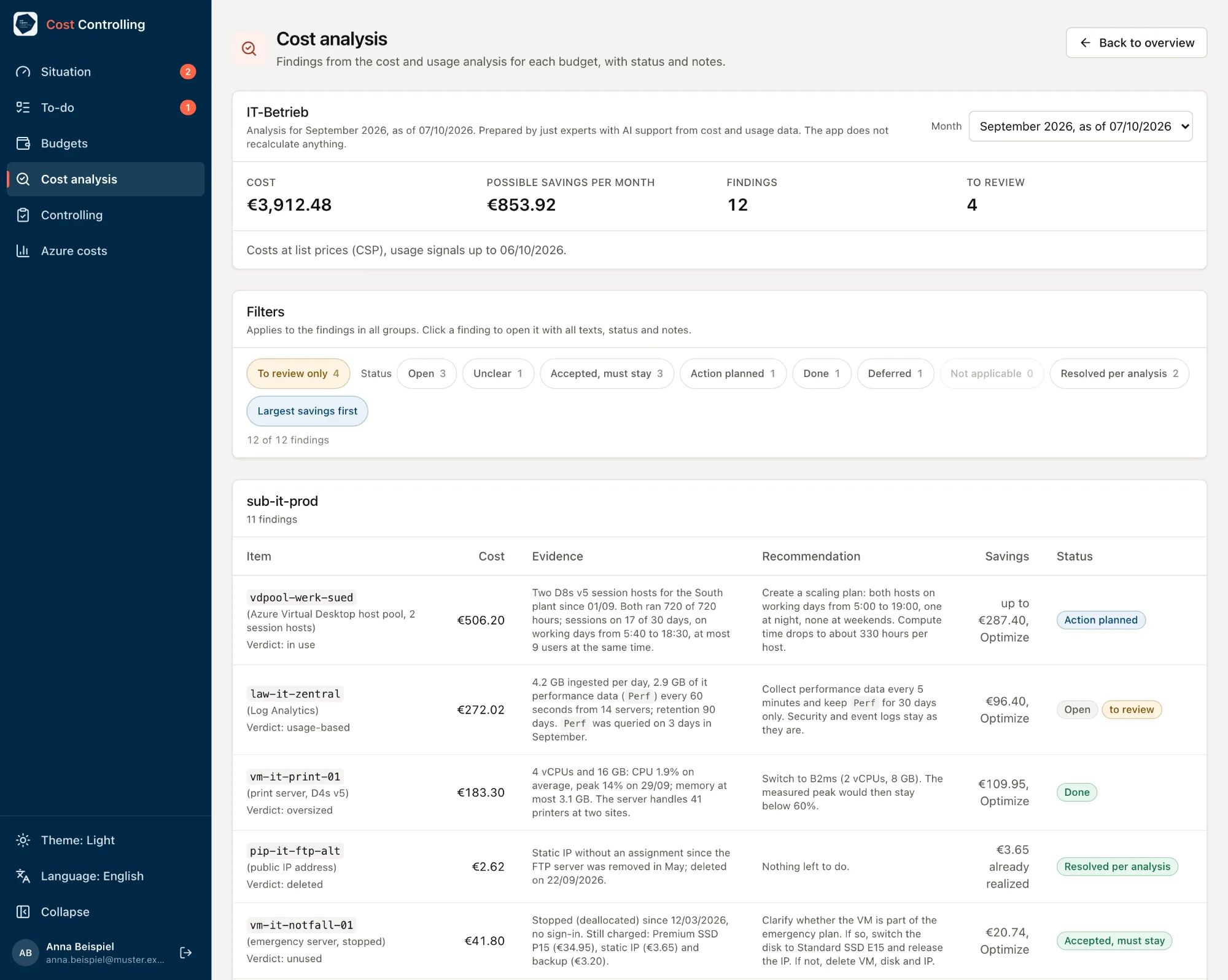
Screenshot with sample data
Cost analysis for IT-Betrieb, September 2026, with sample data: €3,912.48 cost, €853.92 possible savings per month, 12 findings, 4 to review, status filters and a table with item, verdict, cost, evidence, recommendation, savings and statuses such as Action planned, Open, Done, Resolved per analysis and Accepted.
The findings from the monthly cost and usage analysis appear in the app for each budget, with evidence, recommendation, possible savings and status.

We measure usage

We read the daily costs of each resource, plus usage signals from metrics, sign-ins, requests and the activity log, over several months. Without a measured value the verdict is “cannot be assessed”.

A second reviewer

The verdicts are checked a second time. The second reviewer tries to refute them and measures the most expensive items independently. In the first run at just experts, for the internal IT budget, it corrected 11 of 92 verdicts.

The owner decides

For each finding the owner sets a status: open, action planned with a date, accepted with a reason, done, deferred or not applicable, plus notes. The status carries over into the next month.

The next month measures again

Whatever is marked as done is measured again in the next analysis. Once the costs are gone, the finding shows as resolved. Anything that has to stay is not recommended again.

just experts produces the findings in the monthly analysis. The app shows them and records the decisions. If you buy through a CSP partner, the amounts are list prices and your invoice may differ.

Check it against your own numbers.

Arrange a call or request a first analysis right away.

Book a call

Pick a free slot. We discuss your environment and what a first analysis would cover for you. For now, bookings go through the calendar of just IDM, our product for identities and permissions. You can book this call there.

Choose a time

Microsoft Bookings, opens in a new tab

Request a first analysis

Tell us roughly how many Azure subscriptions and Microsoft 365 accounts you have and when your licenses renew.

  1. We get in touch and agree on scope and timing with you.
  2. We clarify data protection, above all for the licenses. Then your IT grants read access.
  3. We run the analysis and go through the findings with you, each with evidence and a recommendation.
Request an analysis

Opens your email program

Prefer to write directly? kontakt@justexperts.de

The call and the request are non-binding.