Back to the overview
Budgets and approval

Every budget has an owner who confirms its costs every month.

A budget groups the subscriptions or resource groups of a department, product or project, with a target amount and a person responsible. From the first day of the following month the owner approves the costs.

Screenshot with sample data
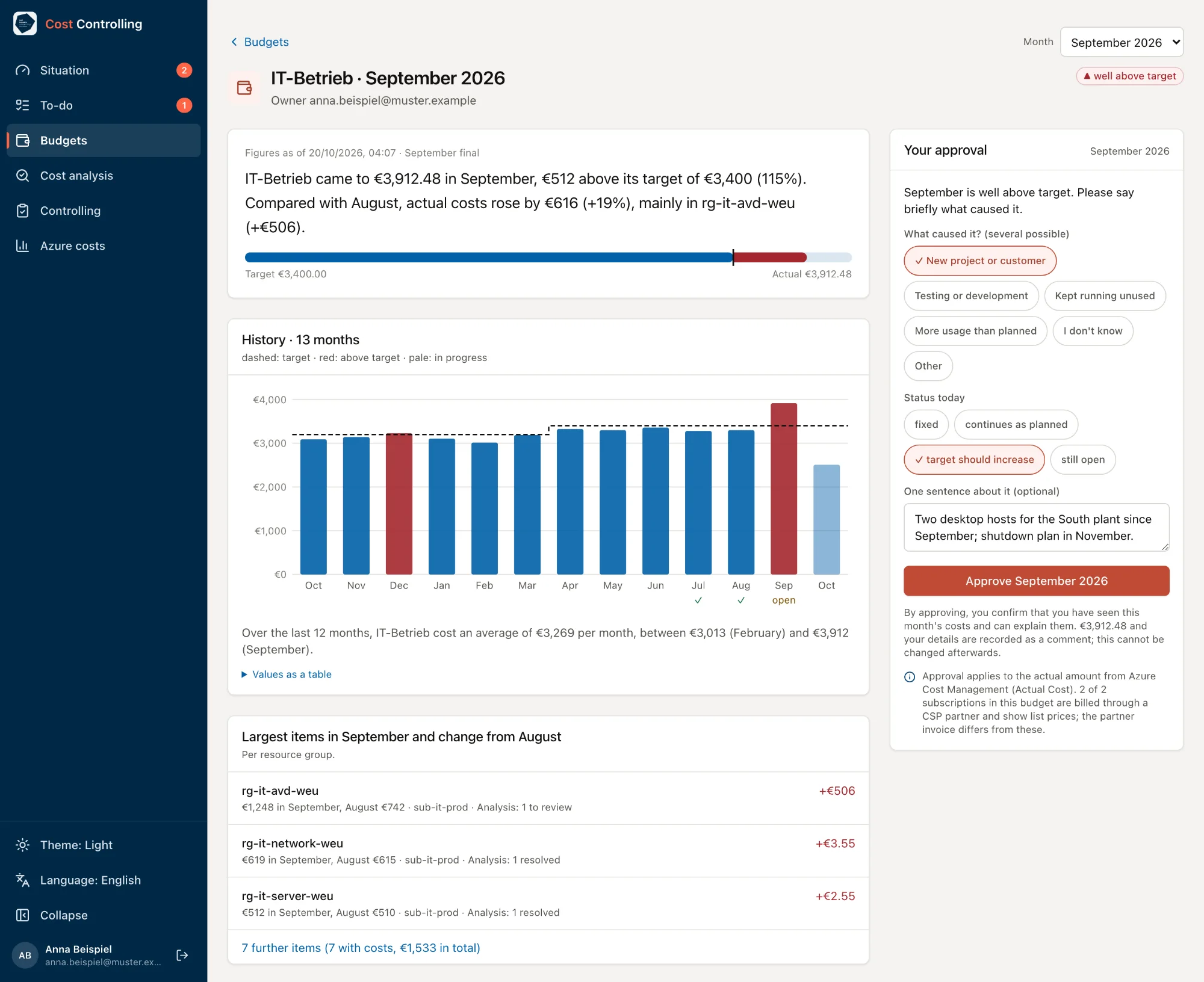
Budget page of IT-Betrieb for September 2026 with sample data: a sentence on €3,912.48 actual against a €3,400 target, a 13-month bar chart with target line, the three largest resource groups with the change from August, and on the right the approval box with a selected cause, status today and one sentence as the reason.
The budget page explains in one sentence why IT-Betrieb went above target in September, and the owner approves the month there with a short reason.
Screenshot with sample data
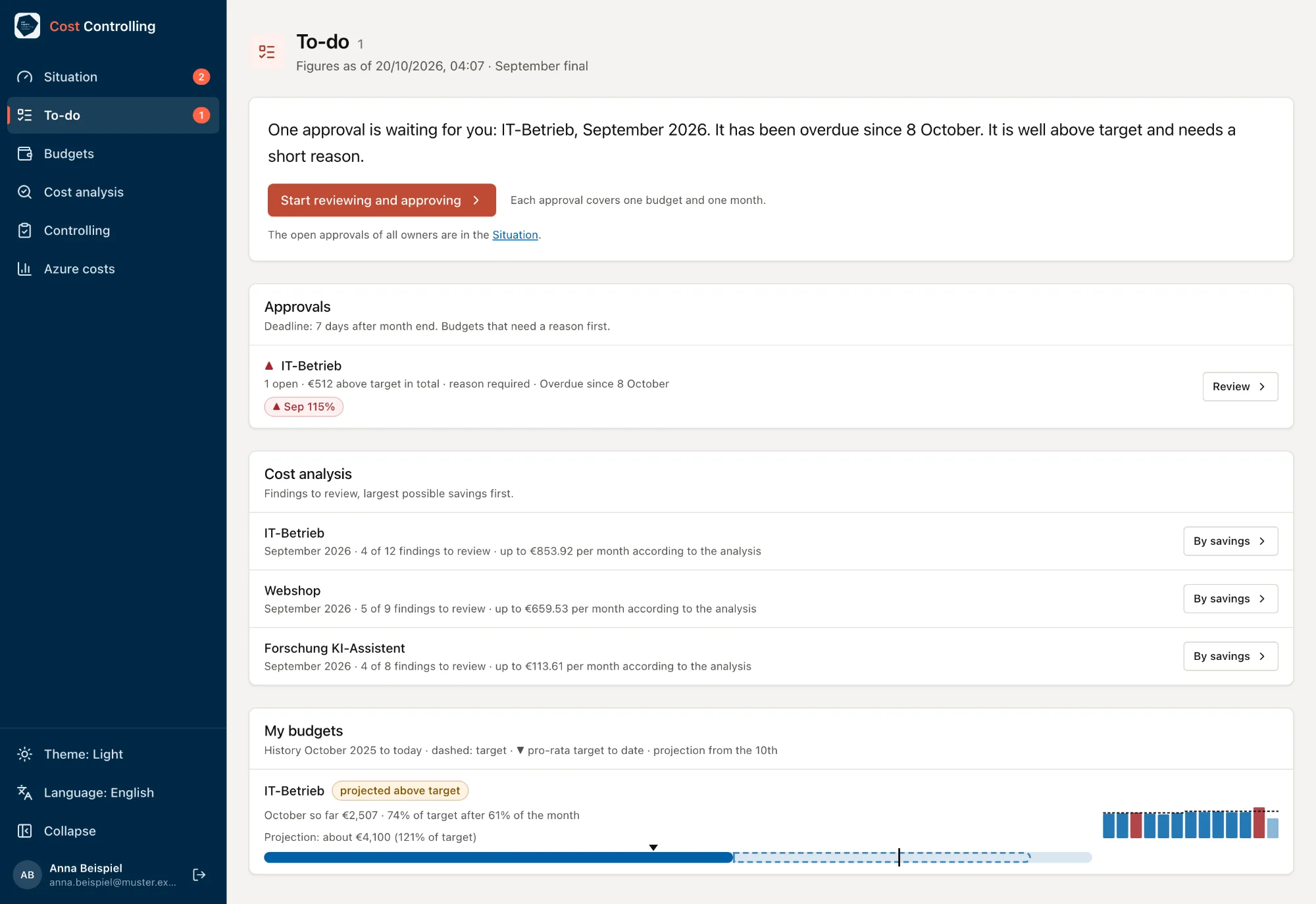
To-do page with sample data: a sentence on an approval for IT-Betrieb, September 2026, overdue since 8 October and needing a reason, the button 'Start reviewing and approving', cost analysis for three budgets with findings to review and possible savings, and IT-Betrieb in October with a projection above target and a 13-month sparkline.
The to-do page tells the budget owner in one sentence what needs doing and shows the open approval, the findings with the largest savings and the projection for the owner's budget.

One click when everything looks right

The budget page describes the month in one sentence and shows the history over 13 months and the largest items with the change from the previous month. All items are available as a table and as a CSV file for Excel. If everything looks right, approving is all it takes.

A reason for a clear overrun

If actual costs are more than 10% and more than €100 over target, the app asks for the cause. A choice from a list and one sentence are enough.

Approvals stay as they are

Amount, data status and breakdown are recorded with the approval and cannot be changed or deleted. If Azure corrects the month later, the app shows the variance since approval.

See early where the month is heading

From the 10th the app projects where the month will end at the current pace. In the to-do list every owner sees what is open and whether a budget is above its pro-rata target for the month so far.

The app does not send emails or Teams messages. Owners see open approvals in their to-do list. Finance can prompt them with a message prepared in the app.

Check it against your own numbers.

Arrange a call or request a first analysis right away.

Book a call

Pick a free slot. We discuss your environment and what a first analysis would cover for you. For now, bookings go through the calendar of just IDM, our product for identities and permissions. You can book this call there.

Choose a time

Microsoft Bookings, opens in a new tab

Request a first analysis

Tell us roughly how many Azure subscriptions and Microsoft 365 accounts you have and when your licenses renew.

  1. We get in touch and agree on scope and timing with you.
  2. We clarify data protection, above all for the licenses. Then your IT grants read access.
  3. We run the analysis and go through the findings with you, each with evidence and a recommendation.
Request an analysis

Opens your email program

Prefer to write directly? kontakt@justexperts.de

The call and the request are non-binding.