Back to the overview
Allocation

Every euro lands in a budget or in a list with a reason.

Costs are assigned to a budget through a single tag on the subscription or resource group. Every month the app checks that the budgets plus unassigned costs add up to the total, to the cent.

Screenshot with sample data
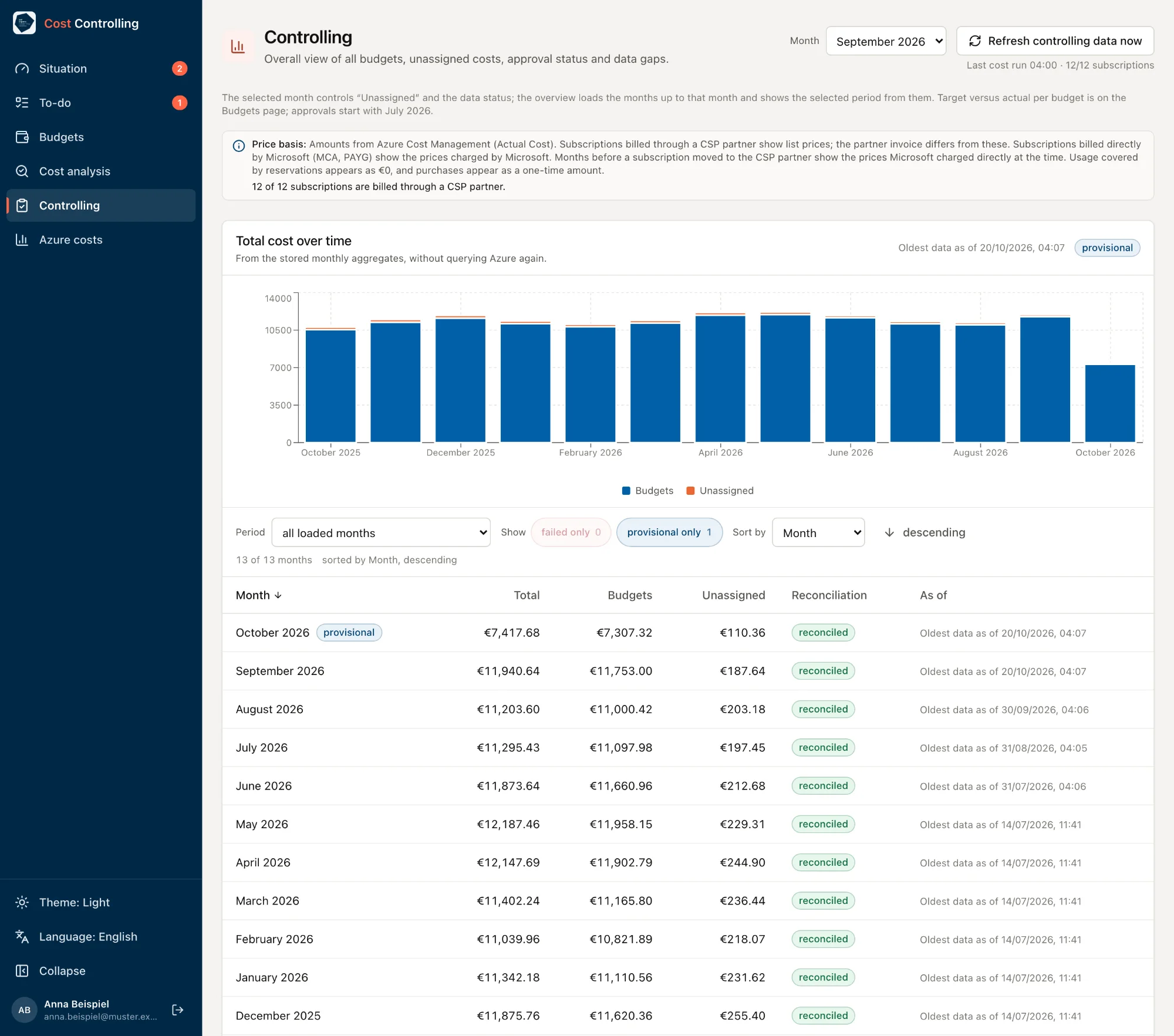
Controlling page with sample data: month September 2026, the button 'Refresh controlling data now', a price basis note with 12 of 12 subscriptions billed through a CSP partner, a stacked bar chart of total cost over 13 months and a table with total, budgets, unassigned and the reconciliation 'reconciled' for each month.
Every month the Controlling page reconciles the sum of all budgets and the unassigned costs against the total cost.
Screenshot with sample data
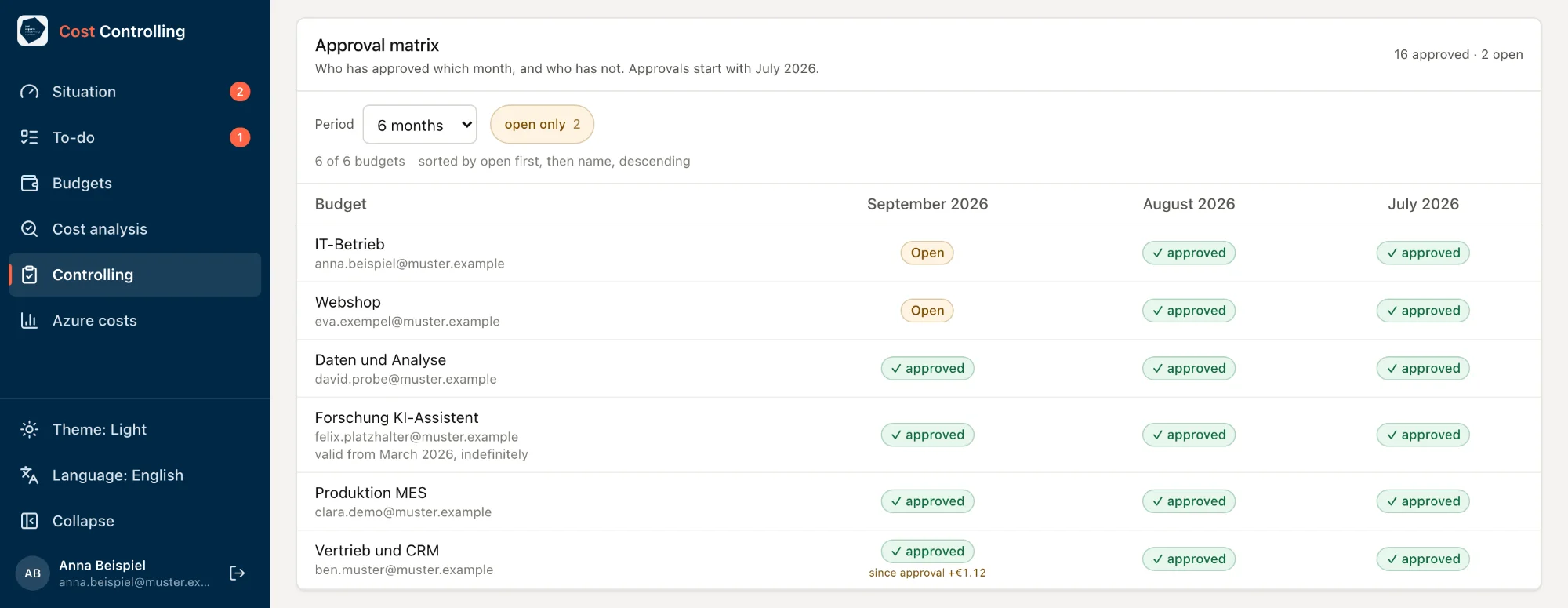
Approval matrix with sample data for six budgets from July to September 2026: July and August approved everywhere, September open for IT-Betrieb and Webshop, and a variance of €1.12 since approval for Vertrieb und CRM.
The approval matrix shows which owner has approved which month and where an approval is still missing.

One label is enough

The label (tag) carries the name of the budget. A tag on the resource group takes precedence over the one on the subscription. The app does not set tags. Our team helps you with the tagging round.

Unassigned, with a cause

Tag missing, value matches no budget, scope never read: every cause is shown. Typos and tags pointing to expired budgets appear as a work list.

New subscriptions appear by themselves

The reader role applies at the top of the management group hierarchy (Tenant Root Group) to all subscriptions, including future ones. The app reports anything it cannot read as a gap.

Who approved which month

For each budget and month, the approval matrix shows whether it has been approved, by whom and when. Older months can be loaded once.

Check it against your own numbers.

Arrange a call or request a first analysis right away.

Book a call

Pick a free slot. We discuss your environment and what a first analysis would cover for you. For now, bookings go through the calendar of just IDM, our product for identities and permissions. You can book this call there.

Choose a time

Microsoft Bookings, opens in a new tab

Request a first analysis

Tell us roughly how many Azure subscriptions and Microsoft 365 accounts you have and when your licenses renew.

  1. We get in touch and agree on scope and timing with you.
  2. We clarify data protection, above all for the licenses. Then your IT grants read access.
  3. We run the analysis and go through the findings with you, each with evidence and a recommendation.
Request an analysis

Opens your email program

Prefer to write directly? kontakt@justexperts.de

The call and the request are non-binding.